The alpha, twice a week
That was 5 min.
Get the best new moments in your inbox every Wednesday and Saturday. It's free.
Check your inbox
We sent a link to your address. Click it to finish signing up. Not there in a minute? Look in spam.
or
Power On with Mark Gurman · 5 min · Oct 30, 2026
Mac touch works without forcing a new interface
 Chris Welch
 describes touch-friendly spacing and controls that adapt when you tap the screen, while Mark says touch is a practical feature Apple could no longer ignore.
The episode’s best minutes
Full analysis- 24:12Mac touch works without forcing a new interfacePro pick 5 min
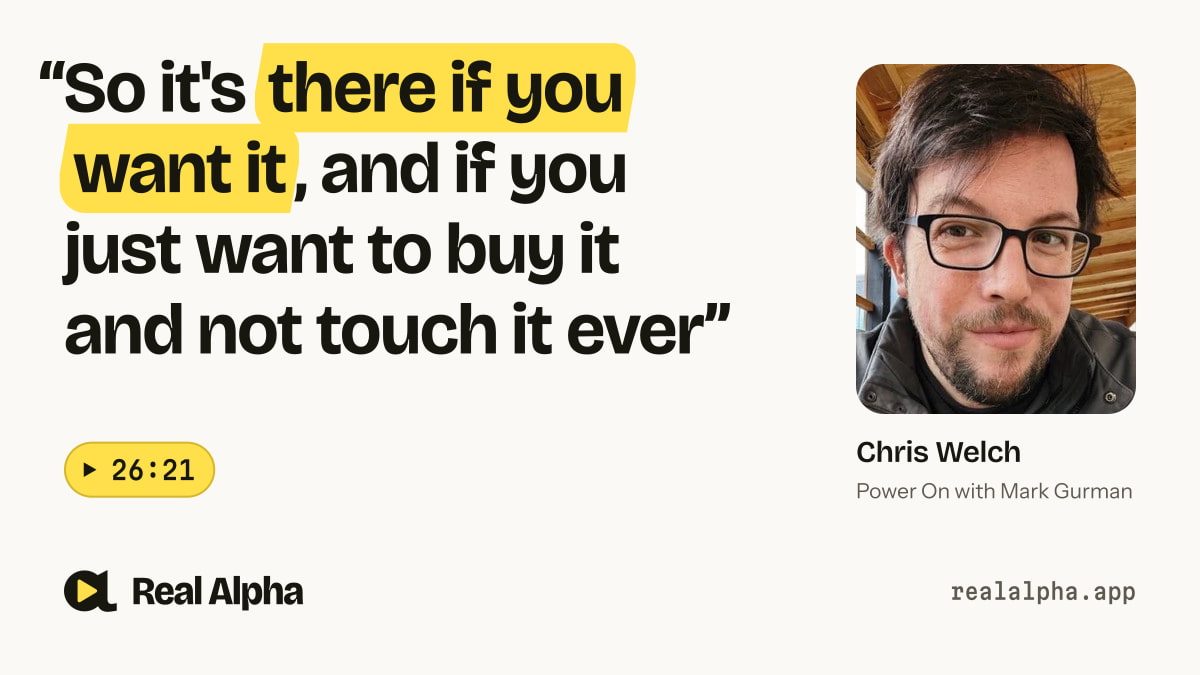
“So it's there if you want it, and if you just want to buy it and not touch it ever”
 Chris Welchat 26:21 · Power On with Mark Gurman
Takeaways Pro pick
- Touch targets and menus get roomier when you use the screen.
- Photo editing, timelines and iPhone mirroring benefit from touch.
- The Mac keeps working normally with a trackpad or mouse.
One of Pro's picks, open to you here. Try Pro free for 7 days
One of Pro's picks. The rest of the summary and the 3 takeaways are in Real Alpha Pro; the video, the quote and the transcript stay free.
Read it with Pro, 7 days freeAbout this segment
Chris Welch describes touch-friendly spacing and controls that adapt when you tap the screen, while Mark says touch is a practical feature Apple could no longer ignore. They argue it adds Mac capability without making touch mandatory or undermining the iPad.

Chris Welch, Host
Chris Welch is a Mark Gurman's colleague and reviewer.
Built a reputation as a top product reviewer at The Verge; now leads reviews coverage and reports consumer tech at Bloomberg.

Mark Gurman, Host · Managing editor of consumer technology & chief correspondent for Apple, Bloomberg
Broke news on major Apple hardware, software releases and initiatives, and writes Bloomberg’s Power On column.
From “Apple Finally Embraces the Touchscreen MacBook + “Crackgate" | Power On with Mark Gurman”, Oct 30, 2026. Watch the full episode
Thanks. We'll look at and fix what's off.
Transcript
From the transcript Power On with Mark Gurman publishes with the episode.
- 24:25
So you just used the new Touch MacBook Pro ProLED XDR. I did. How the hell is it?
- 24:30
That screen is gorgeous. Yeah. I mean, just like, that's the first thing you notice. So as soon as you open it up, you see the glowing logo, which is such a fun callback to the old school MacBook Pros. But the front is all modern. Like that OLED screen is just so stunning to look at. Touch, you know, there are so many people on X and Twitter saying, I don't need a touchscreen. So then, You don't have to use it. You don't have to use touchscreen to have this be a great laptop. It just looks stunning.
- 24:57
It's powerful. It's so much lighter. That's the main thing. When you hold it, you do feel that weight difference for sure. Thinner, maybe a little bit, sure, but that weight is there and clear for sure.
- 25:08
They re-architected the interior significantly. Even though this new MacBook Pro looks the same, it's a complete end-to-end overhaul. There is a new, and I don't know if they talked about this at the event, a new air cooling system. There's a new hinge system for better stability. And some of the air is able to travel through to the back of the hinge and out the backside now as well. Yeah. And so they've done a nice job there. And then having more space inside the casing as well is going to allow the performance and better sustained performance.
- 25:34
Yeah. This is a nice machine. It's like there are no downgrades or like compromises, honestly. It's just a much better screen that you can touch. But otherwise, just a much... Yeah.
- 25:43
So tell me about the operating system, the touch interface. What is it like using touch on there? What are those cool little bells and whistles and tricks? What is. What is the experience?
- 25:52
It's pretty conservative. So when you touch it, there's more space in vertical menus between items. So you can actually tap things fairly easily. When you press and hold the stoplights to close and maximize an app, those get bigger. But there's no vast system-wide changes that make it touch. What about the menu bar? The menu bar? Yeah, it's a bit more spaced out than before. But again, nothing too major. And so when you touch it, it's spaced out. But if you use the trackpad, it's not as normal.
- 26:20
Yes, they've done a good job. They know if you're touching or just using a trackpad or a mouse. So you don't have to touch the machine at all, and it'll just work like always. But if you do, things are a bit more spaced out and touch-friendly, but it's not like a drastic level UX-wide thing that's being forced on all buyers. So it's there if you want it, and if you just want to buy it and not touch it ever, then you can do that and still have this gorgeous OLED screen that is really, really great to use.
- 26:43
There's a few reasons why they're finally doing touch. I think Tim Cook basically just got tired of of being asked when is Touch coming to the MacBook Pro. I mean, he's been pretty open about it internally as like, this is like the big user request. This is the biggest, you know, low-hanging fruit. Let's just do it. It doesn't really matter that Steve Jobs and myself and we, you know, sort of poo-pooed this idea for years. Let's just do it.
- 27:05
It is a table stakes spec sheet item across the PC laptop industry at this point. And so it's something they just had to do. The implementation seems like they did a good job. They didn't go over the top. It seems like it's right in their user flow. Exactly. And so I think it'll be a popular feature. I really do. What do you see people using it for? Like, I don't think they're going to do the garage band piano thing on this. This is going to be for pinching and zooming on photos.
- 27:30
For pinching and zooming, photo editing is great. I think video editing. Moving the timeline. Yeah, the timeline stuff is great. So there is like super useful things that this can do that like your MacBook right now cannot. But if you don't like want a touchscreen, if you're a coder, then maybe it's not super useful. But even they're like building apps and like iPhone mirroring. is so much more useful now. Oh, did you try that? Yeah, it works. Yeah, it's great.
- 27:52
And also like running iPad apps on macOS. Yeah, that just feels like so much more intuitive and natural now since you can actually touch it.
- 27:59
They've basically worked around, you know, the real reason they never wanted to do this was because they didn't want to compromise sales of both the Mac and the iPad. But at some point you have to make the iPad as good as it can be. And at some point you have to make the Mac as good as it can be. And part of that is implementing a touch OLED display. You can't worry that that is going to cannibalize sales of the other products. Seeing the introduction of this MacBook Pro, like I knew this was going to be the case, but actually seeing it in practice today, this is not going to compromise iPad sales at all.
- 28:45
People were hyped. The room was very exciting.